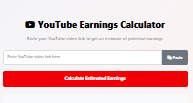
YouTube Earnings Calculator
Paste your YouTube video link to get an estimate of potential earnings
Estimated Earnings
Views
0
Estimated CPM
$2.50
Click-Through Rate
5.2%
Engagement Rate
42%
How to Use
- Copy the YouTube video URL from your browser’s address bar
- Click the “Paste” button or manually paste the link into the input field
- Click “Calculate Estimated Earnings” to see potential revenue
- Adjust the CPM value if you have more accurate data for your niche
Disclaimer: This is an estimated calculation only. Actual earnings may vary based on factors like audience location, video category, advertiser demand, and seasonality. YouTube’s algorithm and revenue share policy also affect final earnings.
How to Check Your YouTube Earnings Accurately (+ Free Estimator Tool)
Want to know exactly how much money your YouTube channel is making? You’re in the right place. Checking your YouTube earnings isn’t as straightforward as looking at your YouTube Studio, and it’s easy to get confused between estimated revenue and finalized earnings.
This definitive guide will show you where and how to check your real, finalized YouTube earnings and introduce a tool to estimate your future income.
Where to Actually Check Your Finalized YouTube Earnings
Important: Your official, finalized earnings are not in YouTube Studio. YouTube Studio shows estimated revenue, but it can change due to ad adjustments, fraud checks, or chargebacks.
Your true, payable earnings are found in Google AdSense. YouTube (owned by Google) uses AdSense to process all creator payments.
Step-by-Step: How to Check Your Earnings in Google AdSense
- Link Your Accounts: First, ensure your YouTube channel is linked to a Google AdSense account. This is mandatory for the YouTube Partner Program (YPP).
- Go to Google AdSense: Navigate to adsense.google.com.
- Log In: Use the same Google account linked to your YouTube channel.
- View Your Earnings: On the main dashboard, you’ll see a graph and a summary of your earnings for the current month.
- “Earnings” Overview: This shows your total revenue for the selected period.
- “Transactions” Page: This is the most important section. Go to Payments > Transactions to see a history of all your finalized earnings and the payments that have been sent to your bank account.
Remember: AdSense earnings are finalized around the 10th-12th of the following month. Only after that period is the money ready for payment.
What Your YouTube Studio Earnings Mean
While AdSense has your final payouts, YouTube Studio is crucial for tracking performance and estimating revenue.
- YouTube Studio Revenue Tabs: Go to Analytics > Revenue in YouTube Studio.
- Estimated Revenue: This is a near-real-time look at your gross revenue before any deductions.
- Revenue Sources: Here you can break down earnings not just from ads, but also from YouTube Premium, Super Chats, Super Stickers, Super Thanks, and Channel Memberships.
Use YouTube Studio for day-to-day performance tracking and AdSense for official financial reconciliation.
Estimate Your Potential Earnings: YouTube Money Calculator
Not in the Partner Program yet? Use the data below to estimate what you could earn.
How much does YouTube pay for 1,000 views?
Earnings are based on RPM (Revenue Per Mille), not a fixed CPM (Cost Per Mille). RPM is your revenue per 1,000 views after YouTube’s cut (45%) and includes all revenue sources.
| Niche Category | Estimated RPM (Range) | Earnings per 1K Views | Earnings per 100K Views | Earnings per 1M Views |
|---|---|---|---|---|
| Finance, Investing | $15 – $40+ | $15 – $40 | $1,500 – $4,000 | $15,000 – $40,000 |
| Technology, Gadgets | $10 – $20 | $10 – $20 | $1,000 – $2,000 | $10,000 – $20,000 |
| Vlogging, Lifestyle | $5 – $15 | $5 – $15 | $500 – $1,500 | $5,000 – $15,000 |
| Gaming | $3 – $8 | $3 – $8 | $300 – $800 | $3,000 – $8,000 |
| Education, How-To | $8 – $15 | $8 – $15 | $800 – $1,500 | $8,000 – $15,000 |
5 Pro Tips to Increase Your YouTube Earnings
Checking your earnings is one thing; growing them is another. Here’s how to boost your RPM:
- Optimize for High-Value Niches: Content about money, software, and business typically commands higher ad rates.
- Target Tier-1 Countries: Audiences in the USA, Canada, UK, Australia, and Germany generate significantly higher RPM.
- Increase Audience Engagement: Longer watch time and higher retention rates lead to more ad impressions and better earnings. Use hooks and structured storytelling.
- Diversify Your Revenue Streams: Don’t rely solely on AdSense. Enable Channel Memberships, Super Chats/Thanks, and pursue brand sponsorships and affiliate marketing.
- Create Evergreen Content: Videos that remain relevant for years (evergreen content) continue to generate passive revenue long after you publish them.
Frequently Asked Questions (FAQ)
Q: Why are my YouTube Studio and AdSense earnings different?
A: This is normal. YouTube Studio shows estimated gross revenue. AdSense shows finalized net revenue (after adjustments) and is the amount you actually get paid.
Q: How often does YouTube pay you?
A: YouTube pays monthly. Once your balance in AdSense reaches the $100 payment threshold, you will receive a payment around the 21st of each month for earnings finalized the previous month.
Q: I’m not in YPP. How can I check my earnings?
A: You cannot earn through ads until you’re in the YouTube Partner Program (1,000 subscribers & 4,000 watch hours in the past 12 months). Before that, you can only use estimator tools like the one above.
Q: What is the difference between CPM and RPM?
A: CPM is what advertisers pay per 1,000 impressions. RPM is what you earn per 1,000 views after YouTube’s 45% share. RPM is the most important metric for creators to track.
Final Thoughts
Checking your YouTube earnings correctly is key to understanding your channel’s financial health. Remember:
- Use YouTube Studio Analytics for real-time estimates and performance tracking.
- Use Google AdSense for your official, finalized earnings and payment history.
- Use RPM-based estimators to project future growth and set goals.
By mastering these tools, you can make data-driven decisions to grow your channel and maximize your revenue on YouTube.